Smart Home Shade Integration

Smart Home Shade Integration in Zionsville, IN

Protocol chosen after the signal path is surveyed

Call (317) 863-9966Get Free Quote
Quick Answer

People considering this product usually want to know how it compares to the alternatives. The answers below make those comparisons directly, including the cases where a different product is the better call.

  • Service: Smart Home Shade Integration for Zionsville homeowners
  • Service area: Zionsville, IN and surrounding areas
  • Nothing in window treatments needs a middle-of-the-night call-out. What matters is the fabrication window, typically two to five weeks. Service and repair work sits outside that and gets handled on a much shorter timeline.
  • Insured and bonded
  • Serving Zionsville, IN since 2008
Smart Home Shade Integration Services

Expert Smart Home Shade Integration for Zionsville Homes

Promontory is the hardest radio problem in Zionsville. Fifty five custom houses are going up there between 2023 and 2025 on lots of two to five acres, with well water on municipal sewer, Boone County REMC electric and fiber service to 1 Gbps. The recorded example at 9475 Windy Hills Drive is 5,446 square feet. A house that size on that much ground has no neighboring building to bounce signal off and long internal runs between the hub and the far wing. Holliday Farms poses a milder version of the same thing across houses that start at $1 million with wide single level elevations under its ranch rule.

The protocols behave differently and the differences matter more than the branding. Proprietary RF is simple and closed, Zigbee and Z Wave build a mesh where mains powered devices repeat, Thread meshes as well and needs a border router, and Matter is a common application layer that rides on top rather than a radio of its own. Battery powered shades often can't repeat for anyone else, so a mesh full of shades isn't a mesh. And a hub reaching end of life strands whatever depended on it, which is a real risk to name out loud before you standardize a house on one box.

When to Call

Signs You Need Smart Home Shade Integration

If you notice any of these in your Zionsville home, it is worth booking a measure. None of it is urgent, and none of it fixes itself either.

Only one person here knows how to run the shades

A hub was discontinued and control went with it

Guests hunt for a wall button that isn't there

You added two windows and the new fabric reads different

Motorized shades came with the house and nothing pairs

Shades over a stairwell nobody can reach

One room gets hot before anyone thinks to close a shade

You want the shades up before you get home

The app works but nobody else can operate anything

You already run a platform and shades are the gap

Our Process

How Zionsville Window Treatments Handles Smart Home Shade Integration

Every job follows the same five-step process. Transparent, thorough, and done right the first time.

1

Existing network and platform documented

2

Power method chosen per shade

3

Local fallback control specified

4

Groups, scenes and schedules built

5

Handover walkthrough at the house

Real Project Photos

Smart Home Shade Integration in Zionsville

Photographs from real smart home shade integration jobs completed by our crew in Zionsville and surrounding areas.
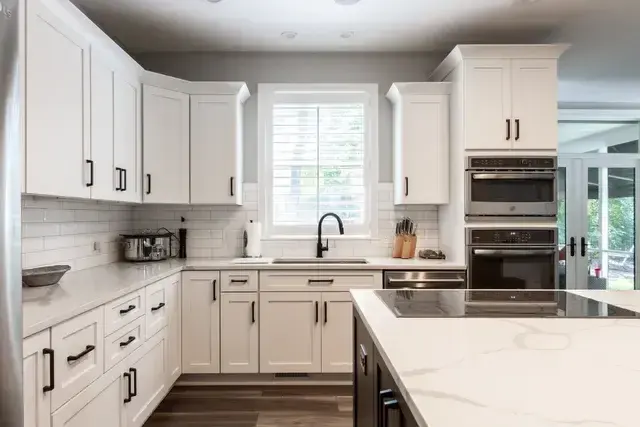
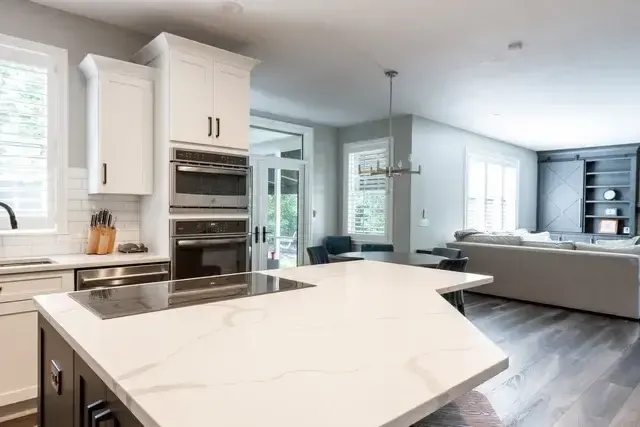
Custom shades measured and installed in ZionsvillePlantation shutters fitted to a Zionsville windowCellular shades in a Zionsville living room
Scope of Work

What Smart Home Shade Integration Includes

Every Zionsville job is documented item by item. Here is what the crew covers.

The house's existing network and automation platform documented before a single motorized shade is specified

Protocol decided first: RF, Zigbee, Z-Wave, Thread or Matter, since they don't route, range or recover the same way

Hub and bridge requirements written down per protocol, including whether the manufacturer's own bridge is mandatory

Signal path walked from the hub to the furthest opening, floor by floor, before hardware is ordered

Repeater locations planned and powered on the drawing rather than added later when a shade won't answer

Masonry, metal and long runs flagged as the things that actually eat range in a house

Groups and scenes defined with the household before pairing, so the system arrives configured instead of blank

Schedules built on an astronomical timer where sun position matters more than clock time

Sun sensor placement chosen per elevation, since a sensor on the wrong wall automates the wrong window

Cloud dependency identified for every product, so you know which features stop if an account or a service goes away

Local fallback control specified for every shade, a handheld remote or a wall keypad that works with the network down

Power decided opening by opening, because a shade over a stair and a shade behind a sofa don't want the same answer

Battery replacement interval disclosed in writing before purchase, not after the first flat motor

Travel limits set at commissioning and rechecked after the fabric relaxes

Voice assistant integration confirmed against the actual product, not against a logo on a box

End-of-life risk explained plainly, because a discontinued hub can strand shades that still work perfectly

A contract naming the hardware, the platform and the total price before anything is ordered, as IC 24-5-11 requires above $150

Handover session run at the house with the app, the remotes and the scenes tested in front of you

Pricing

What Smart Home Shade Integration Costs in Zionsville

The published national range for motorized window coverings is roughly $300 to $1,500 per window installed. That figure covers the shade and its motor. It doesn't cover the layer that makes a house in Zionsville actually automated, and treating those as one number is how budgets go wrong. The control layer is hubs, bridges, repeaters, keypads, sensors and the commissioning time to pair and program all of it, and it prices per project rather than per window because a twelve shade house and a four shade house can need the same hub. Zionsville Window Treatments quotes the shades per opening and the integration separately, so you can see which part of the Boone County number is fabric and hardware and which part is the system around it.

By Product

How Smart Home Shade Integration Differs by Product

Every product in this trade behaves differently in a room. Here is what that means for this work.

Proprietary RF: The manufacturer's own radio, usually paired to its own remote and bridge. It's the most reliable option inside its own ecosystem and the least flexible outside it. If the plan is one brand of shade and nothing else, this is often the right call.

Zigbee: A low-power mesh where mains-powered devices relay for battery ones. Battery shades typically don't repeat, so the mesh has to be built from other powered devices in the house. Coordinator choice matters, since not every Zigbee hub speaks to every shade.

Z-Wave: A mesh on a lower frequency than Zigbee, which generally means better behavior through interior walls and less crowding from Wi-Fi. Device counts per network are bounded, and older gear may sit on an earlier generation than the hub expects.

Thread: A newer low-power mesh built around border routers, with powered devices doing the relaying. It's the transport under a lot of current Matter hardware. The practical question is always which border router is on site and whether it's one you control.

Matter: An application layer rather than a radio, riding on Thread or Wi-Fi. It's what lets one shade answer to more than one platform. Support is uneven by product and by firmware, so we verify the specific model rather than trusting the logo.

Hub and bridge: The box that translates between your shades and your phone or your platform. It's also the single point that decides whether the system survives a decade, which is why we ask about the manufacturer's track record on discontinued products before we spec one.

Repeaters: Powered devices that extend the radio to the far end of a house. On a plan with masonry between the hub and a back bedroom, a repeater isn't an upgrade, it's the difference between a shade that answers and a shade that doesn't.

Scenes and schedules: Named positions for groups of shades, fired by a button, a time or the sun. This is the part people actually live with, and it's the part most installs skip. A system handed over with no scenes is a set of expensive manual shades.

Sun sensors and astronomical timing: A sensor reads real light on a real elevation. An astronomical timer follows sunrise and sunset through the year rather than a fixed clock. Together they stop the west shades closing at four in December because that's what somebody programmed in June.

Local control fallback: A handheld remote or a hardwired keypad that talks straight to the motor without the app, the network or the internet. We put one in every job. It's the thing that keeps a shade usable on the day the router dies or the account gets locked out.

Common Questions

Smart Home Shade Integration FAQ

Questions we hear most often from Zionsville homeowners considering smart home shade integration.

Start from the house, not the brand. On a five acre Promontory lot with a 5,446 square foot house, range and repeater placement decide more than feature lists do. A proprietary RF system with its own repeaters is often the most predictable for shades alone. If the shades need to sit alongside lighting and locks in one control layer, Matter over Thread or a bridged Zigbee or Z Wave setup gets you there, with the caveat that anything bridged inherits the bridge's reliability rather than the standard's. We map the signal path before recommending, because the answer changes wing to wing.
The shades keep working on their existing pairings until something changes, and then you're stuck. Scenes and schedules usually live in the hub along with app control, so an end of life box means firmware updates stop and there's no recovery path if a shade loses its pairing. This has happened repeatedly across the smart home industry and it will happen again. The protection is to prefer systems where the shade motors speak a documented protocol that more than one controller can talk to, and to keep the pairing and limit documentation rather than relying on an app to remember it. At Promontory, where houses finished in 2023 will still be standing in 2060, that's a real question.
Less far than the published figure, always, and the reduction depends on what's between the two ends. Published ranges are line of sight in open air. Masonry and foil faced insulation both attenuate hard, and metal framing adds to it. Zionsville has masonry commercial buildings on Main Street from the 1854 to 1920 era and estate houses with heavy exterior construction. On a 5,446 square foot footprint we assume repeaters will be needed and survey where before quoting, so the repeaters are a line on the estimate rather than a callback three weeks after the install.
Yes, and it's usually the reason people integrate rather than just motorize. A scene can drop the shades on the west elevation and dim the lights in one command. Two things to plan. First, shade travel takes time, so a scene that expects instant response will look wrong. Second, an astronomical timer that follows actual sunrise and sunset through the year serves better than a fixed clock time in a climate where the useful hour moves by hours between June and December. We set both at commissioning rather than leaving them at defaults. On a Promontory elevation with two to five acres in front of it, the timer earns its keep quickly.
Not necessarily, and there's an argument for keeping them off it. A bridge or hub can sit on its own segment with only the control traffic crossing over, which means a router change or a guest network reconfiguration doesn't take the shades down. Promontory has fiber to 1 Gbps available, so bandwidth isn't the constraint; stability is. What we ask for at the quote stage is who manages the network, because a house where an integrator owns the network needs a different handover than a house where the owner does.
More than most installers leave. It should list every motor with its location and its address on the network, the repeater positions, the travel limits as set, the scene definitions, and the exact recovery steps if a shade drops off after a battery change. Hunter Douglas states PowerView battery life is about one year, so battery changes are a recurring event rather than a one off, and a shade that loses its limits after one shouldn't require a service call. We leave that written down. An app is not documentation, because the app is the thing most likely to change.
It depends far more on what's already in the house than on which radio is technically better. If you're running a platform already, we pick the shade that speaks to it natively rather than adding a second app. If you're starting from nothing, we look at the layout: a compact house with an open plan is forgiving of almost anything, and a long ranch with masonry in the middle is not. RF, Zigbee, Z-Wave, Thread and Matter all work. They just fail in different places, and the layout tells us which failure you'd be buying.
Because radio range is a property of the building, and buildings don't change to suit hardware. Interior masonry, metal and long horizontal runs all cut a signal down. A battery motor also transmits at low power on purpose, to protect its own battery life, so it has less margin to spare than a plugged-in device does. Walking the signal path first tells us where powered repeaters have to go and whether there's an outlet there. Discovering that after the shades arrive means either a visible extension cord or a shade that answers intermittently.
This is the risk nobody puts in a brochure, and you should hear it before you spend. If a hub goes end of life and the company shuts down the service behind it, the shades can keep moving on their local remote while the app, the scenes and the voice control stop. In the worse version, where the pairing itself depended on that service, you can end up with working motors that nothing can address. It's the main reason we specify a local control path on every job and ask hard questions about a manufacturer's history with discontinued lines.
Sometimes, and it's worth being clear-eyed about it. Matter exists specifically to make this possible, and where both products genuinely support it on current firmware, one app can drive both. Where they don't, you end up with two hubs and two apps, which works but is nobody's idea of a good time. We check the specific model numbers and firmware rather than the marketing, because support in this category changes between product revisions.
Hunter Douglas states that PowerView battery life is about one year, and that's the most useful published number in the category. Your actual interval depends on how many times a day the shade moves, how heavy it is and how far it travels. A shade on an automated schedule that cycles twice a day works harder than one somebody nudges on weekends. Multiply the interval by the number of shades in a Zionsville house and you have a recurring task rather than a one-time purchase. That belongs in the decision, not in a surprise.
Where power can reasonably be brought to the header, hardwired low-voltage motors are the better long-term answer, and there's no battery task at all. The catch is the electrical work, which is done by a licensed electrical contractor and is far easier during a renovation than in a finished wall. Rechargeable batteries with a trickle charge from a small panel or a plug sit in between. On a retrofit in a finished Boone County house, battery is usually what actually happens, and that's fine as long as the interval is understood.
Usually yes, through whichever assistant the platform supports, and there are two honest caveats. Voice commands for position are coarser than people expect, so ask for fifty percent and you may get a shade that stops where the motor thinks fifty percent is rather than where you wanted it. And voice usually rides on the cloud, so it's the first thing to stop when the internet does. Scenes on a keypad or a remote are the more reliable everyday control. Voice is the convenience on top.
Travel limits are the stored top and bottom positions the motor drives to. They're set at commissioning, and on a new fabric shade they want checking again a few weeks later, because fabric relaxes slightly after it has hung for a while and the bottom position drifts. On a roller that shows up as a hembar sitting a little low or a little high against the sill. It's a five minute adjustment when somebody comes back for it and an ongoing annoyance when nobody does.
Sometimes, and it depends entirely on the headrail. Some manufacturers publish retrofit motor kits for their own product, most don't, and a generic motor will not simply drop into an arbitrary headrail. Roller shades are the most likely candidate because the fabric can often move to a new tube. Cellular and pleated shades are the least likely. We look at what's hanging, tell you honestly whether a retrofit exists for it, and price the alternative if it doesn't.
No, and a system that requires it is a system we didn't configure well. The app is good for setup, for editing schedules and for controlling the house from somewhere else. Day to day, most people use a keypad, a handheld remote or a scene that fires on its own. We hand over with the physical controls working and labeled, because the person visiting your house shouldn't need an account to open a shade in the room they're standing in.
They help by making the right thing happen at the right hour without anyone remembering. A west elevation shade that closes on a sun sensor in July is doing real work during the hottest part of a central Indiana afternoon, and the same shade opening on a January morning lets sun into a room where the average high is around 36.1F. On fading, NFRC attributes roughly 40 to 60 percent of fading damage to UV, so a shade that's actually down during peak sun slows the change to floors and furniture. It doesn't prevent it.
Fewer than you'd think, if the shades are in the wrong places for reaching. Three high openings over a stair are a better case for automation than a dozen reachable bedroom windows. Where a system starts paying for itself is when the shades move on their own, because the value is in the scenes and the schedule rather than in the pushing of buttons. If the plan is a handful of shades that somebody will operate by hand anyway, a simple remote per room is the honest recommendation.
Pairing every motor to its control, setting the travel limits, building the groups, writing the scenes, setting the schedule and then testing all of it from the app and from the physical controls. On a house with masonry or a long footprint it also means verifying that the furthest shade answers reliably rather than once. We finish with a walkthrough at the house, and we leave written notes on the hub, the network details we set up and the battery interval, because the person who needs that in two years might not be you.
Network access and the credentials for whichever platform you want the shades to live in, plus a decision on who owns the accounts. That last one matters more than it sounds. A system paired under an installer's personal account is a system you can't change without them. We set up under accounts you control, we document what we did, and where power is being brought to a header we coordinate that with a licensed electrical contractor before the shades are ordered rather than after.
Free In-Home Measure

Schedule Your Free In-Home Measure in Zionsville

Contact Information

Reach Us Directly

Our team prioritizes scheduled measures and service calls, and books in-home measures during business hours.

Office
1417 Commerce Avenue, Indianapolis, IN 46201
Hours
Mon-Fri 8a-6p
Service Area
Zionsville, IN and Surrounding Areas

Ready to Book Your Measure?

Call us to set up an in-home measure, or to ask about a treatment that has stopped working. We will talk it through on the phone first.

Service area

Serving Zionsville and the surrounding area

Call NowGet Quote